Productivity monitoring
Time tracking and productivity monitoring, included in every plan
Flamingo's desktop app tracks time, app activity and optional screenshots while your team is clocked in. Approved hours become contractor invoices and payroll attendance, on the platform that pays them.
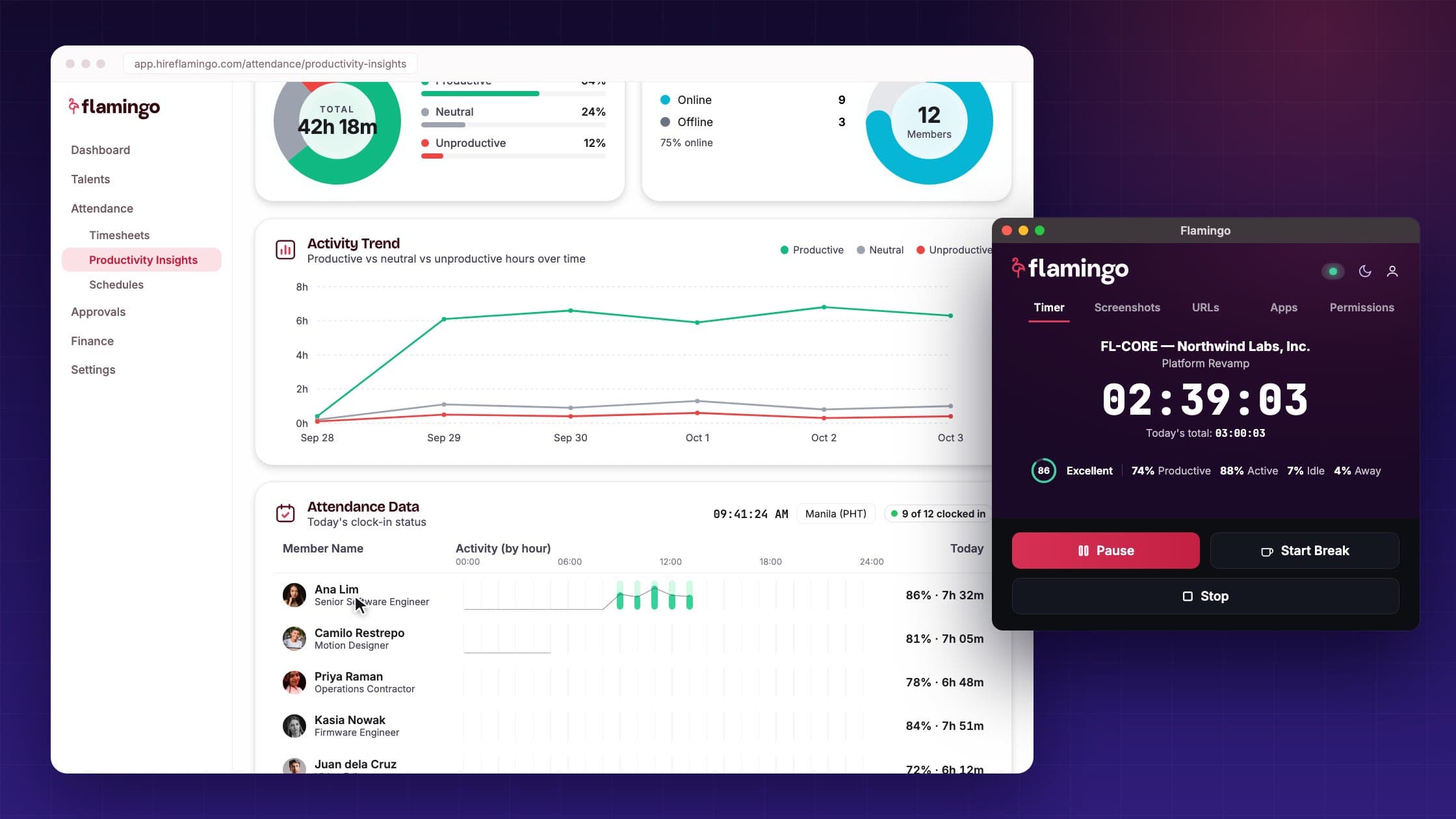
Monitoring tools charge per seat. Flamingo includes it.
Most teams pay for a time tracker on top of the platform that pays their people. On Flamingo, tracking comes with every contractor and employee.
| Flamingo | Standalone time tracker | Typical EOR platform | |
|---|---|---|---|
| Cost | Included in every plan | Billed per seat | Part of the platform |
| Time tracking | Desktop app and web clock-in | Yes | Timesheets only |
| Activity, apps and screenshots | Yes, with blur or off | Yes | Not included |
Flamingo
- Cost
- Included in every plan
- Time tracking
- Desktop app and web clock-in
- Activity, apps and screenshots
- Yes, with blur or off
Standalone time tracker
- Cost
- Billed per seat
- Time tracking
- Yes
- Activity, apps and screenshots
- Yes
Typical EOR platform
- Cost
- Part of the platform
- Time tracking
- Timesheets only
- Activity, apps and screenshots
- Not included
Columns describe typical products in each category, not a specific vendor.
Productivity Insights
Your team's week in one dashboard
Productivity Insights shows effective, productive and manually added time, how the day splits between productive, neutral and unproductive apps, and who is online right now.
Compared with the last period
Every team average shows its change from the previous period. Open one person for their 0 to 100 productivity score, banded Poor, Fair, Good or Excellent.
Apps and URLs by class
See how tracked app time splits between productive, neutral and unproductive, with the apps and sites behind each.
Members online and offline
See who is clocked in now, and who tracked the most and least time.
Per-person view
Open anyone's day in detail
Each person has their own view, built from the same tracked time. Use it to answer a question about a timesheet before you approve it.
- Timeline View
- The day in 10-minute slots, from clock-in to clock-out.
- Activity Graph
- How active they were, hour by hour.
- Recent Screenshots
- Captured at the frequency and blur level you set.
- Time by project
- Hours split across the projects they clocked in to.

You decide what gets captured
Screenshot and blur settings apply across your whole organisation, so everyone is tracked the same way.
Screenshot frequency
Capture every 3, 5 or 10 minutes, or turn screenshots off.
Blur level
No blur, light, standard or heavy, with a preview before you save.
App and website categories
Mark apps and sites productive, neutral or unproductive. Your choices override Flamingo's defaults across your organisation.
Hours to pay
Approved hours become invoices and payouts
Tracking runs on the same platform that pays your team, so approved hours never have to be copied into another tool.
Step 1: Approve the timesheet
Review tracked hours by person and project, then approve them.
Step 2: The invoice is generated
Hourly and daily contractors get an invoice built from their approved hours.
Step 3: Pay it out
Approved invoices are paid out to contractors in 119 countries. For Employer of Record employees, attendance feeds payroll.
Productivity scores never change pay. Only approved hours do.
See Contract Management

What Flamingo tracks, and what it never does
Monitoring only works if your team trusts it. These rules are built into the desktop app.
How tracking works
Only while clocked in. Activity outside clocked-in time and during breaks is discarded.
Encrypted screenshots, kept 90 days. Blur them or turn them off for the whole organisation.
Workers can delete a screenshot. From the desktop app. That time is also removed from their tracked hours.
Window titles redacted. Personal information is removed from window titles before they're stored.
A self-view for EOR employees. Employees on an Employer of Record plan can see their own productivity dashboard.
Never captured
What anyone types
Webcam
Audio
Emails or messages
Set up in four steps
From download to the first approved timesheet.
Step 1: Download the desktop app
Your team installs Flamingo's app on macOS or Windows.
Step 2: Pair it with a one-time code
Each person links the app to their Flamingo account with a code from the web app.
Step 3: Clock in to a contract and project
Tracking starts at clock-in and stops at clock-out or on a break.
Step 4: Review and approve timesheets
Check hours in Productivity Insights. Workers and admins also get daily and weekly email summaries.
Productivity monitoring questions
Does productivity monitoring cost extra?
No. Time tracking, activity, screenshots and Productivity Insights are included in every Flamingo plan, with no per-seat charge.
Is Flamingo's productivity monitoring spyware?
No. The desktop app only tracks while someone is clocked in, and activity outside that time and during breaks is discarded. It never stores keystroke content and never captures the webcam, audio, emails or messages. Screenshots can be blurred or turned off.
Which computers does the desktop app run on?
macOS and Windows. People can also clock in and out from the Flamingo web app.
Does the productivity score affect pay?
No. Pay is based on approved hours only. The score helps you understand how work time is spent; it never changes an invoice or payroll.
Can screenshots be turned off?
Yes. Admins choose a capture frequency of every 3, 5 or 10 minutes, or disable screenshots, and pick a blur level. Both settings apply to the whole organisation.
How long are screenshots kept?
90 days. Screenshots are encrypted, and workers can delete one from the desktop app, which also removes that time from their tracked hours.
Who can see the data?
People on your company account with access to productivity data see Productivity Insights and each person's view. Employees on an Employer of Record plan can also see their own productivity dashboard.
Track hours where you pay them
Productivity monitoring is included in every Flamingo plan.